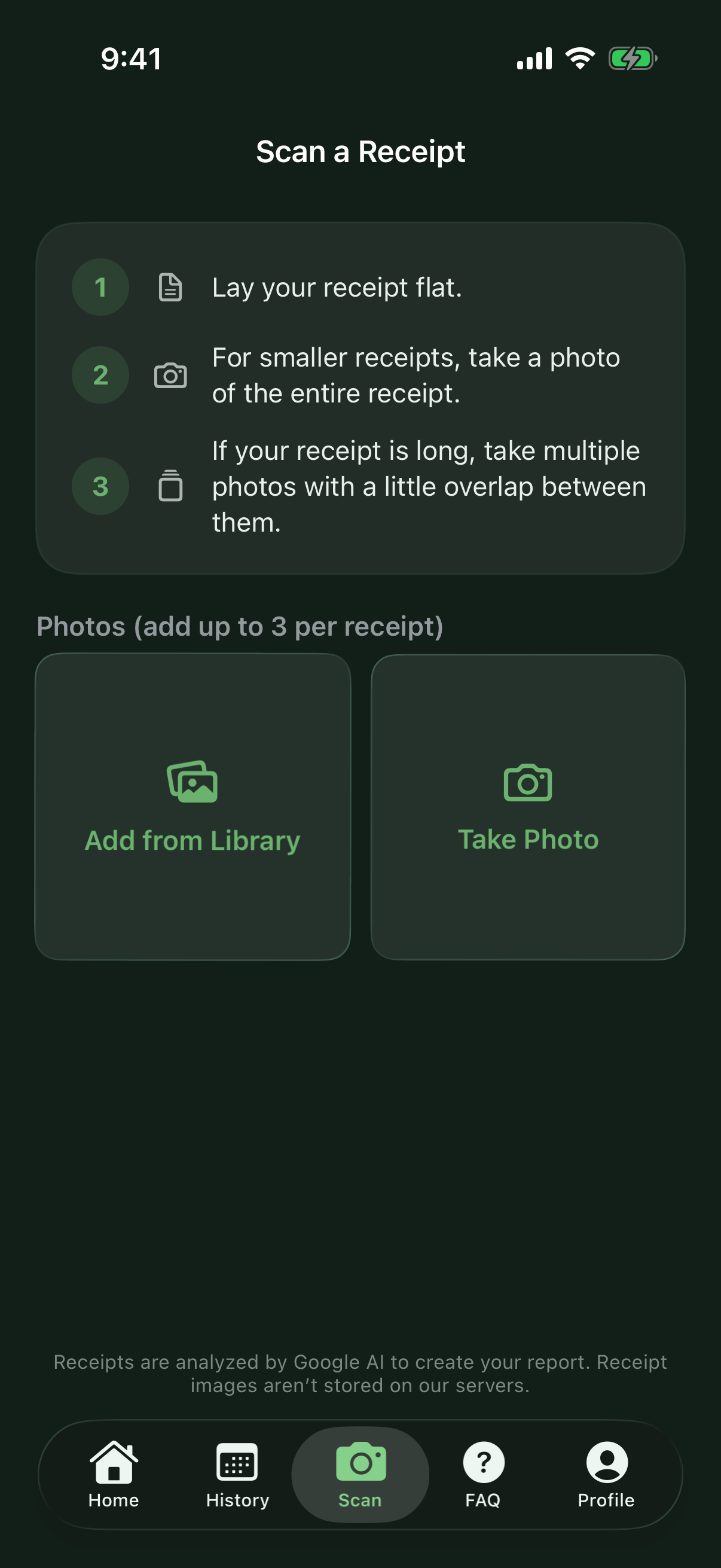
Snap or upload your receipt
Take a photo, choose one from your library, or capture a long receipt in up to three overlapping sections.
Snap a grocery receipt to get one simple CartScore, item-by-item explanations, better-for-you swaps, and a clear view of your progress over time.
Requires iOS or iPadOS 26 or later.
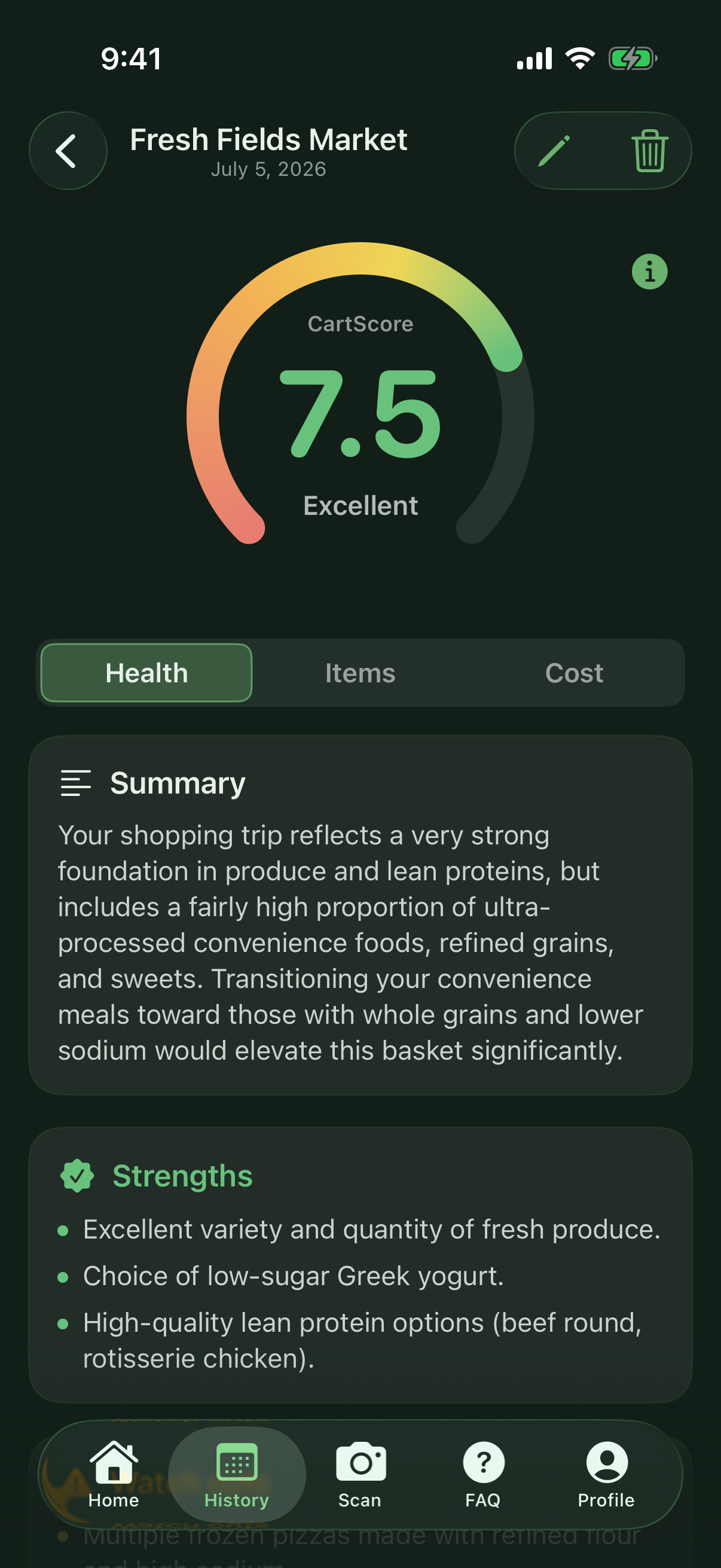
By checkout, it is hard to know what dozens of groceries really add up to. CartScore turns the receipt you already have into a clear picture of the trip—plus practical ideas for making the next cart better.
Take a photo, choose one from your library, or capture a long receipt in up to three overlapping sections.
Receipt recognition and Google AI identify grocery items and rate food items from 1–10.
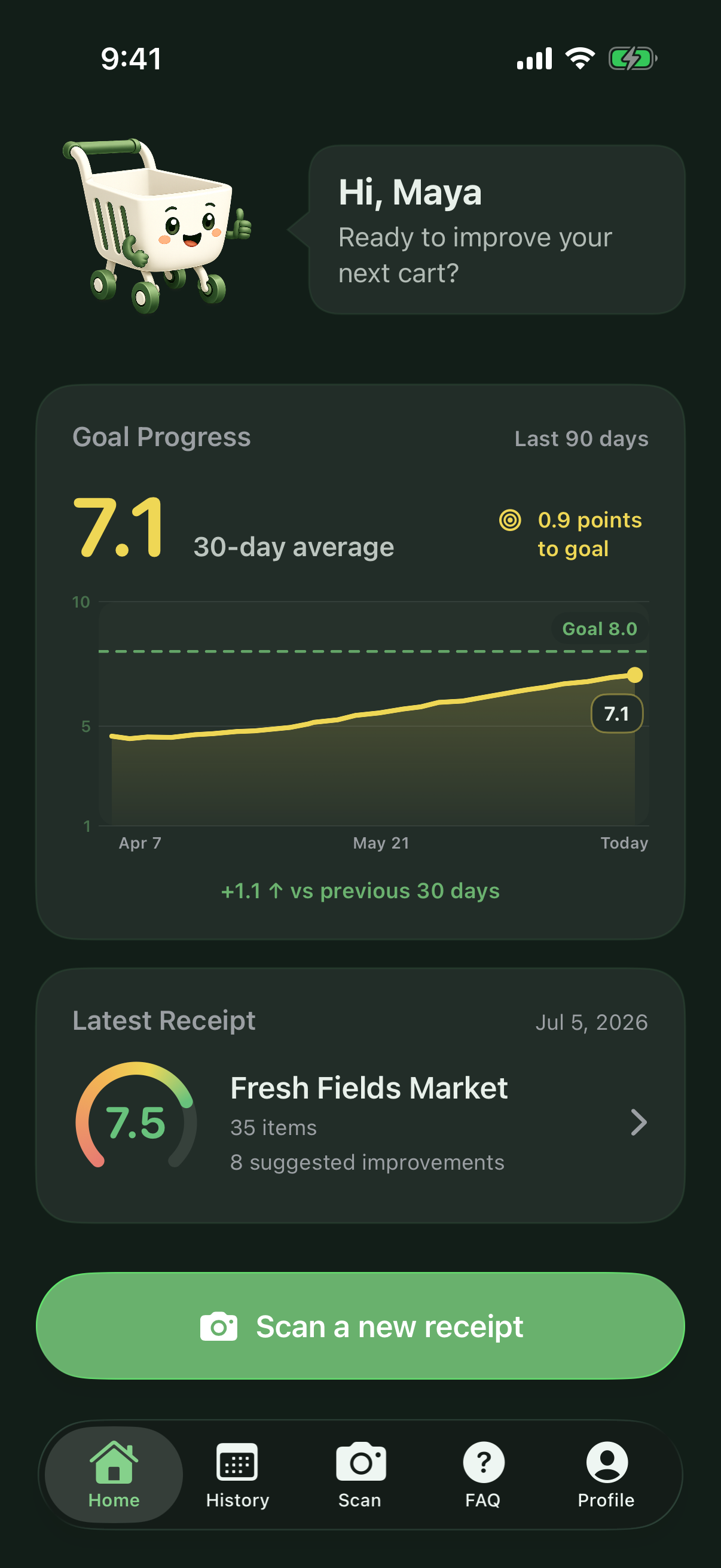
See what drove the score, find practical swaps, set a goal, and follow your trend over time.
During setup, scan one real grocery receipt (up to three photos) and get your full CartScore report free: the trip score, item-by-item explanations, and swaps. You don’t need to create an account to start. To keep scanning, CartScore Premium starts with a one-week free trial.
Premium Weekly $3.99/week · Premium Yearly $59.99/year (US prices). Billing goes through your Apple ID and renews automatically unless you cancel at least 24 hours before the end of the current period. Deleting the app doesn’t cancel a subscription.
Every report is built to give you context, control, and one practical thing to try next.
See the health quality of your grocery run at a glance.
Understand what helped, what held the score back, and why.
Find realistic better-for-you alternatives for lower-scoring items.
See estimated whole-food and ultra-processed shares, strengths, and watch-outs.
Explore spending by category and score when receipt pricing is available.
Set a goal and follow daily and monthly CartScore trends.
Correct detected items, prices, categories, scores, dates, and notes.
Use your camera or photo library, with up to three images for long receipts.
Checking every package in the aisle gets old fast. CartScore works from the receipt you already have. Every item is given one of five processing levels, from whole or minimally processed to ultra-processed. Your report shows an estimated share of each for the whole trip, which items pulled your score down, and practical swaps for next time.
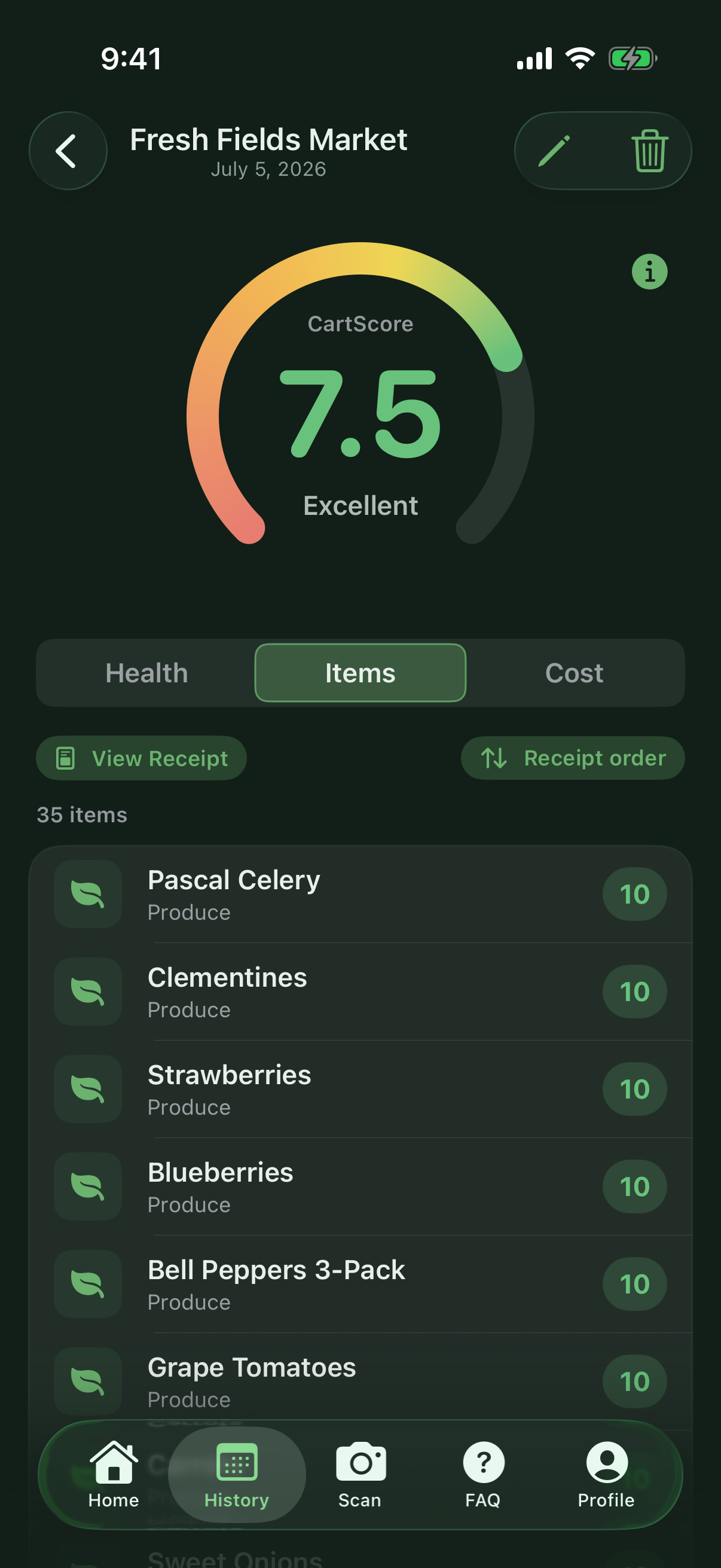
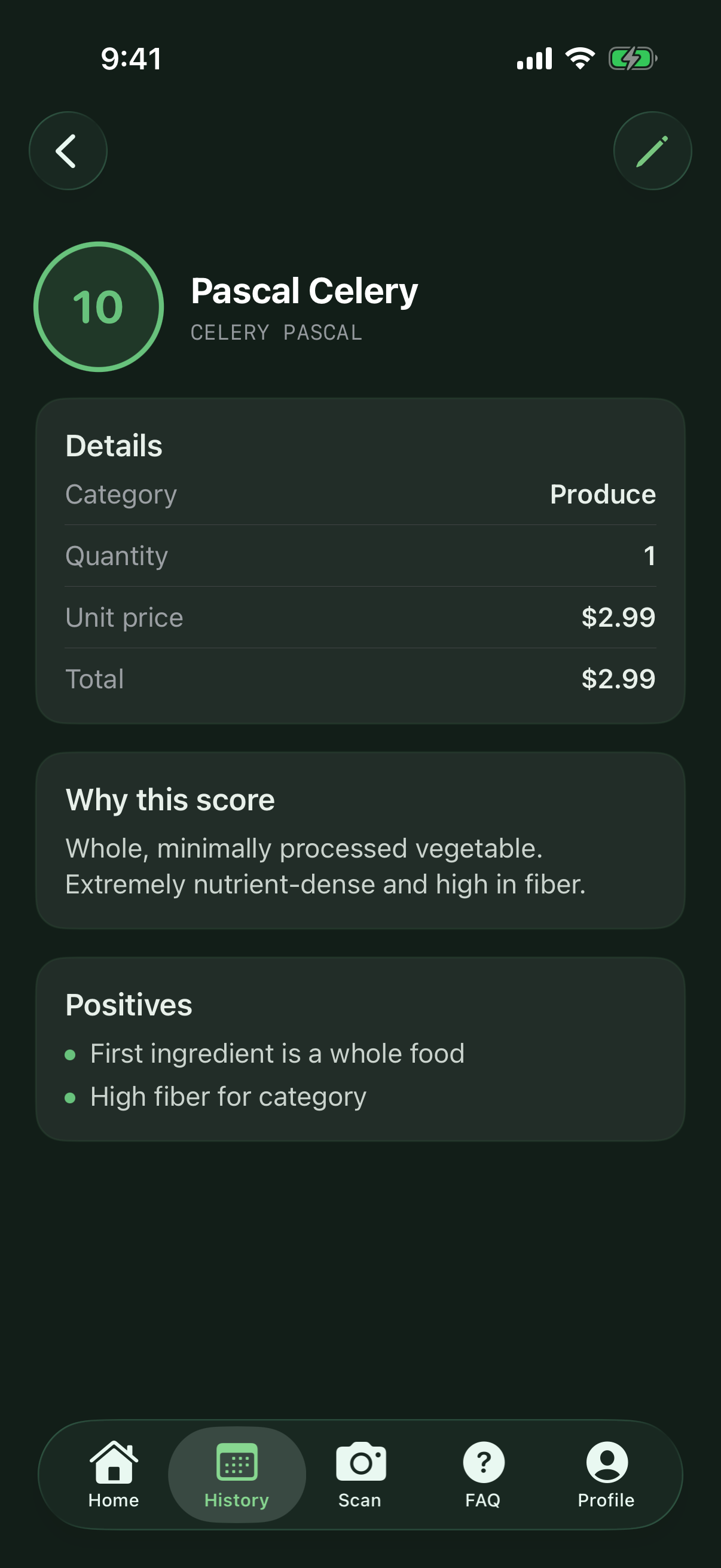
How to see how ultra-processed your groceries are from one receiptOpen any detected food item to understand its score, see positive factors and drawbacks, and find a practical suggested swap where available.
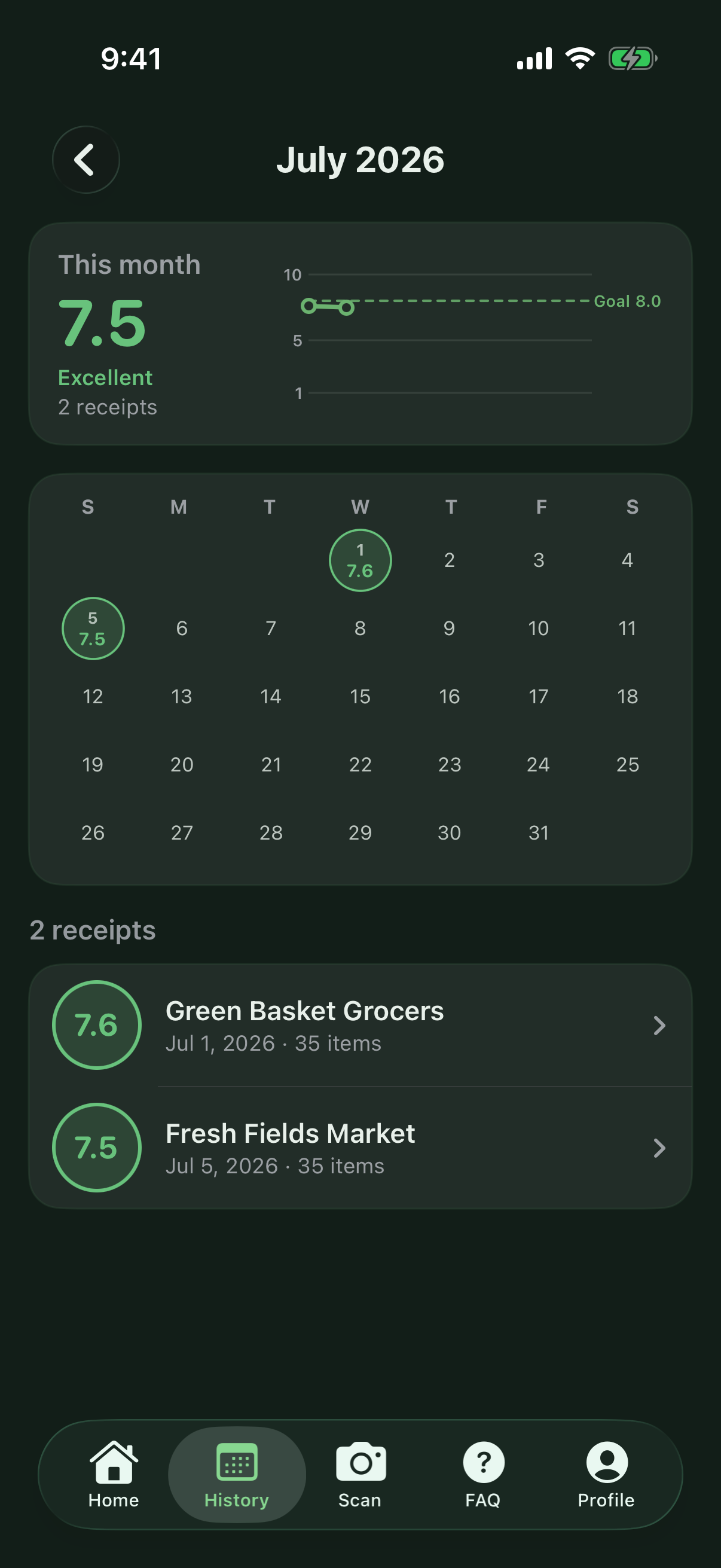
Set a realistic goal CartScore and watch your grocery runs trend toward it. Calendar history and monthly averages make small changes visible, one receipt at a time.
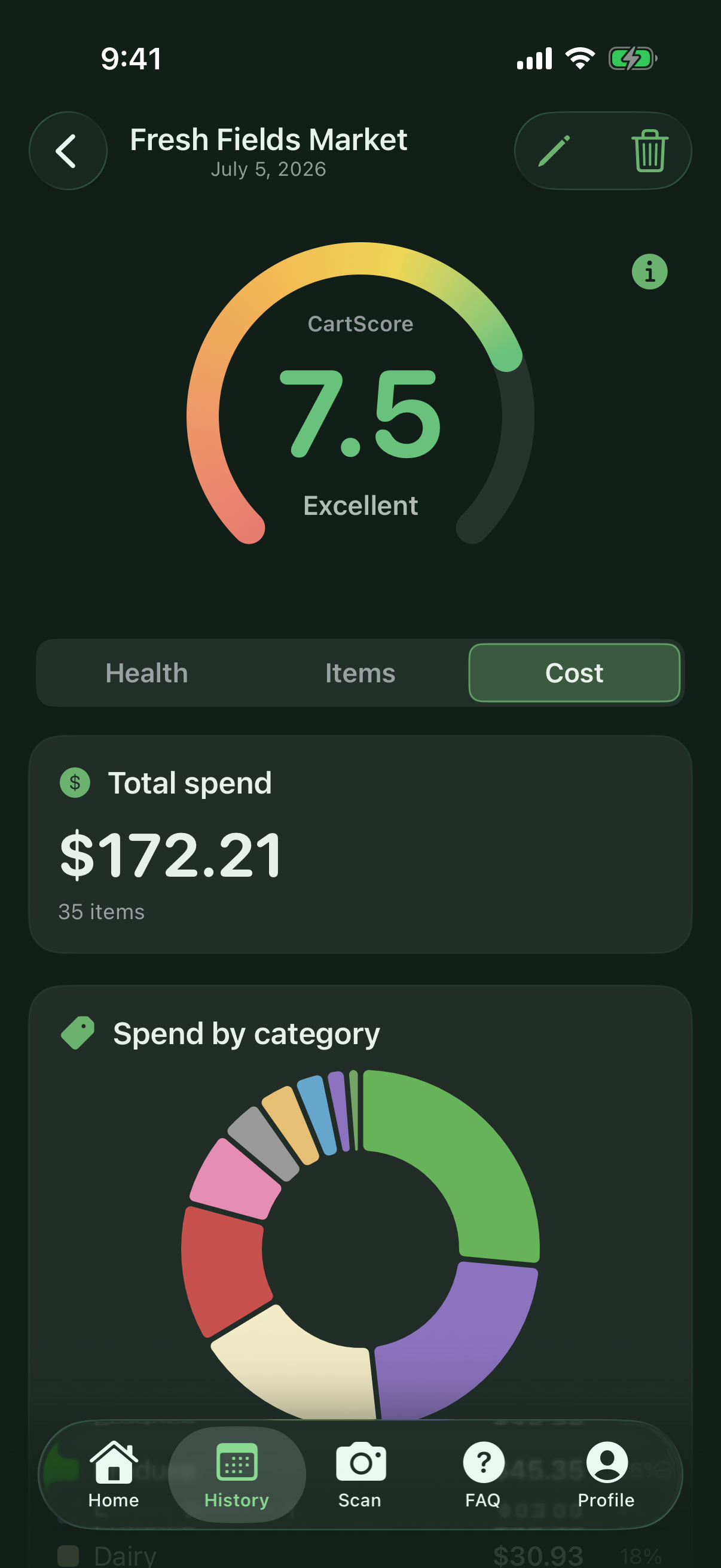
When receipt prices are available, explore total spend and breakdowns by grocery category and item score.
CartScore evaluates how strongly a food supports a generally healthy dietary pattern. Results are AI-generated and can be corrected by the user.
The score reflects general nutrition quality—not whether a food or a person is morally “good” or “bad.”
Powered by Google AI Receipt images are sent for analysis after you provide consent.
Temporary image processing Cloud receipt images are deleted after processing; copies may remain on your device.
You stay in control Edit results, delete receipts, clear history, or delete your account from the app.
Plain-language guides to how CartScore works and when it’s the right tool.
CartScore is an iPhone and iPad app that turns a grocery receipt into a 1–10 score for the trip, scores for individual food items, plain-English explanations, suggested swaps, cost insights, and progress trends.
Take a photo in the app or choose receipt images from your photo library. For a long receipt, add multiple photos with a little overlap. The app supports up to three images per receipt.
CartScore uses receipt recognition and Google AI to identify grocery items, interpret receipt details, and generate the report. It turns abbreviations like “GV WHL MLK” into plain-English names before scoring. Results can occasionally be wrong, so the app lets you correct detected information.
Printed grocery receipts, photographed flat and well lit. For long receipts, add up to three overlapping photos. You can also pick images from your photo library, and screenshots of emailed or online grocery receipts work well too. Faint print and heavy abbreviations cause most errors, and you can edit any item afterward.
It’s the quantity-weighted average of the food items on the receipt, on a 1–10 scale. Buying two of something counts twice, price doesn’t affect the score, and non-food items are left out. Higher scores generally mean more whole or minimally processed foods. How scoring works →
Yes, as an estimate. Every item gets one of five processing levels, and each report shows the estimated percentage of whole or minimally processed food and of ultra-processed food for the whole trip. Receipts list short product names, not ingredients, so treat the result as a guide and fix anything misread. Learn more →
No. CartScore uses its own nutrition rubric, based on FDA and Harvard dietary guidance. Its five processing levels are similar in spirit to NOVA’s four groups but aren’t the same system. How scoring works →
No. Every item is scored with the same general nutrition rubric. Your age, household and goal don’t change ratings, and scores don’t account for allergies or medical diets. Your goal is for tracking progress.
Yes. Reports can include plain-English reasoning, positive factors, drawbacks, and a suggested better-for-you swap for individual items.
Yes. You can edit receipt details and item names, scores, quantities, prices, categories, and notes. Receipt recognition and AI analysis are helpful, but they are not perfect. If an item is missing entirely, rescan with a clearer photo. Adding new line items isn’t supported yet.
Yes. Set a goal CartScore and use the home and history views to follow recent progress, monthly averages, calendar scores, and past receipts.
Barcode apps check one product at a time, which is ideal while you’re in the aisle. CartScore reads your whole receipt after you shop, so you get one score for the trip, see patterns over time, and get swaps for next time. Many people use both. Compare →
Yes. During setup you can scan one real receipt and see the full report free, with no account required. Premium also starts with a one-week free trial.
CartScore is free to download, and your first receipt report is free. To keep scanning you need CartScore Premium: $3.99/week or $59.99/year in the US, with a one-week free trial.
Receipt images are temporarily uploaded for analysis and deleted from CartScore’s servers after processing. Copies may remain on your device, while the resulting report is stored in your account for history and trends.
There’s no share or export feature yet. Many people simply show the report on their phone or take a screenshot.
CartScore is available in the US and Canada.
No. Scores provide general nutrition-quality guidance. They are not tailored medical or dietary advice and are not a substitute for guidance from a qualified healthcare professional.
Not currently. CartScore is available for iPhone and iPad (iOS or iPadOS 26 or later).
Turn one receipt into a score, a plan, and a clearer path toward the cart you want.
Download on the App StoreAvailable now on the App Store for iPhone and iPad. Requires iOS or iPadOS 26 or later.